See how Merch.com works
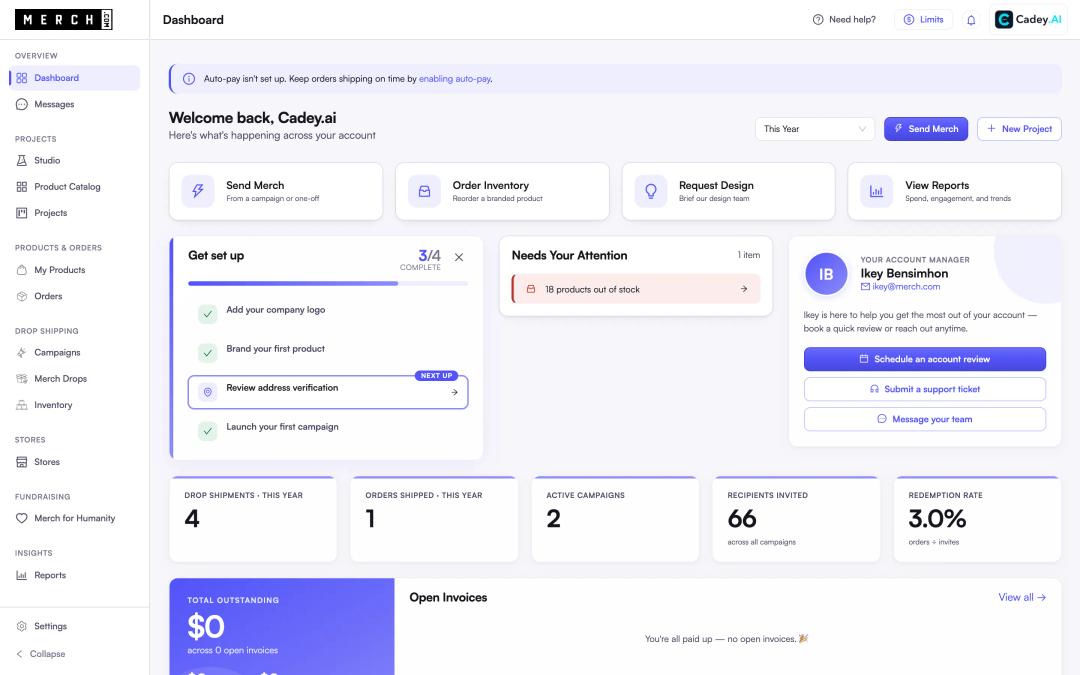
Follow one team from the first design to the last delivery. Design merch with AI, launch a campaign, send invites, track every order and open your own shop, all in the real product.
Cadey.ai wants every new hire to get a welcome kit they will actually wear. Watch them design it, send it and track it without chasing a single size or address.
- 01Design Studio
- 02Campaigns
- 03Invites
- 04Tracking
- 05Merch Shop
app.merch.com
The scenario
Onboarding 50 new hires
Cadey.ai wants every new hire to get a welcome kit they will actually wear. Watch them design it, send it and track it without chasing a single size or address.
23 steps · about 4 minutes · real product, sample account
Or jump to a part
- 01Design Studio
- 02Campaigns
- 03Invites
- 04Tracking
- 05Merch Shop
What the tour covers
Design Studio
Part 1
Describe what you need, get on-brand designs priced at your quantity, and keep them with us.
The 5 steps
- Describe what you need Tell Emily, our AI merch assistant, what you are after in plain language. No forms and no catalog to dig through.
- Options, priced at your quantity Emily pulls products that fit the brief and shows the price of each one at 50 units, before you ask anyone for a quote.
- Your logo, on real product Emily mocks up options from your brand kit. Want changes? Ask the way you would ask a designer.
- You approve before anything is made Every item and every price sits in one order for you to review, and our team confirms the details with you. The tour stops here, so nothing real gets ordered.
- Stored until you need it Once the kits are made, they wait in our warehouse. See what is on the shelf, size by size, and send one the day someone joins.
Campaigns
Part 2
One link, and every recipient picks their own size and enters their own address.
The 6 steps
- One link for everyone Share one link and every new hire picks a size and enters an address. No spreadsheet to build or chase.
- What your new hire sees Your brand and your welcome message, on a page that works on any phone or laptop.
- They choose what they will wear You set the products and the limits. They make the call.
- Their own size Each person picks their own size, so you stop guessing and stop paying for leftovers.
- They enter their own address Every address is checked before anything ships, so a typo never turns into a lost package.
- Done. We ship it from here. The order goes to our warehouse, where we pick, pack and ship it. You follow it in Tracking.
Invites
Part 3
Personal invites, invites from Gmail, batches of links, QR codes, or your HR tool sending them for you.
The 7 steps
- Every invite in one place Everyone you invited in one list, with whether they opened it and the order it became.
- One person, or fifty Type a few emails or paste a whole list from a spreadsheet. Each person gets their own invite.
- See it before it goes Add a note and see the exact email each person gets. We send it, you send it from your own inbox, or you just take the links.
- Or send it from Gmail With our Chrome extension, open the thread where you confirmed the start date and send the invite from the side panel. Nothing to copy between tabs.
- Fifty links in one go Make a batch of links for an event, your HR tool or Slack. Each one records which order came from it.
- A QR code for every invite Download any invite as a QR code for a welcome card, an office poster or an event table. People scan it and order from their phone.
- Or let your HR tool send them Connect Greenhouse through Zapier and every new hire gets an invite the moment they move to onboarding. Shopify and our API connect here too.
Tracking
Part 4
Every invite from opened to ordered, and every order from placed to delivered.
The 2 steps
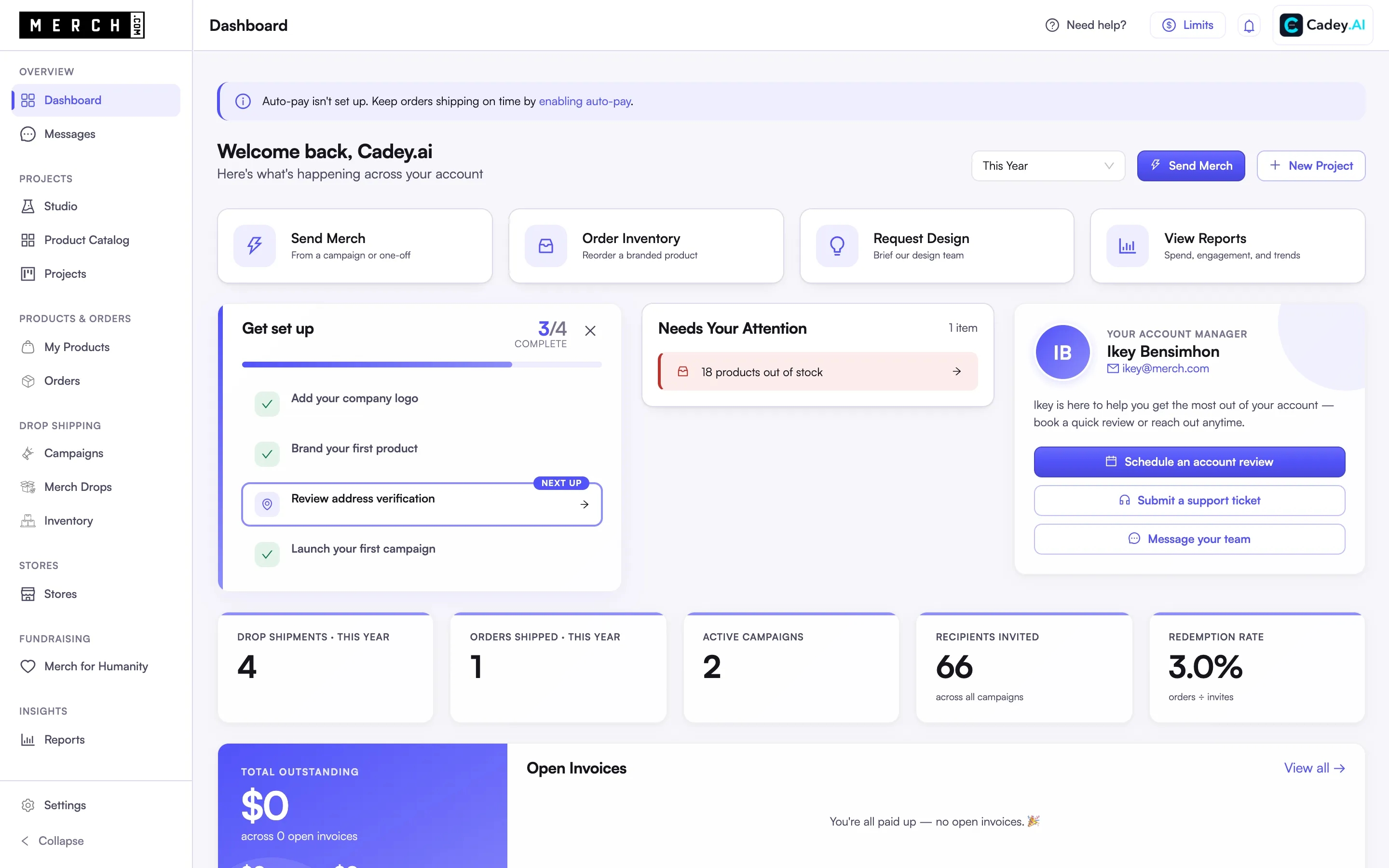
- Follow every invite Open anyone on the list to see their whole journey, from the email we sent to the order they placed. You know who needs a nudge without asking.
- Every order, in one view See what is waiting, in transit and delivered. A problem shows up here before anyone has to email you about it.
Merch Shop
Part 5
A branded store for your team or your fans, built with AI and run by us.
The 3 steps
- Open a shop in minutes Bring the Shopify store you already have, or open a new one on Merch.com. You can run both side by side.
- Change it in plain words Ask the store AI for a new banner, a sale or a page about your values, and it builds it. No code and no agency.
- Your shop, live Your brand, your domain and your checkout, on any phone or laptop. We print, pack and ship every order, and your sales are paid out to your bank.
See how it works,
start to finish.
Follow one team sending welcome kits to 50 new hires, then opening a shop for everyone else. Five parts, about four minutes, all in the real platform.
Design Studio
Describe what you need, get on-brand designs priced at your quantity, and keep them with us.
Campaigns
One link, and every recipient picks their own size and enters their own address.
Invites
Personal invites, invites from Gmail, batches of links, QR codes, or your HR tool sending them for you.
Tracking
Every invite from opened to ordered, and every order from placed to delivered.
Merch Shop
A branded store for your team or your fans, built with AI and run by us.
Ready to build your merch?
Custom design, production, campaigns, and global fulfillment. One partner, zero platform fees. Nothing off a catalog.
Request an account and our team will set it up with you on a quick discovery call.